
Attendance & Leave
Attendance in a few taps, leave in one place
Instructors take the register for each class. Students request leave; the office approves or declines. Reports show each batch and each student.
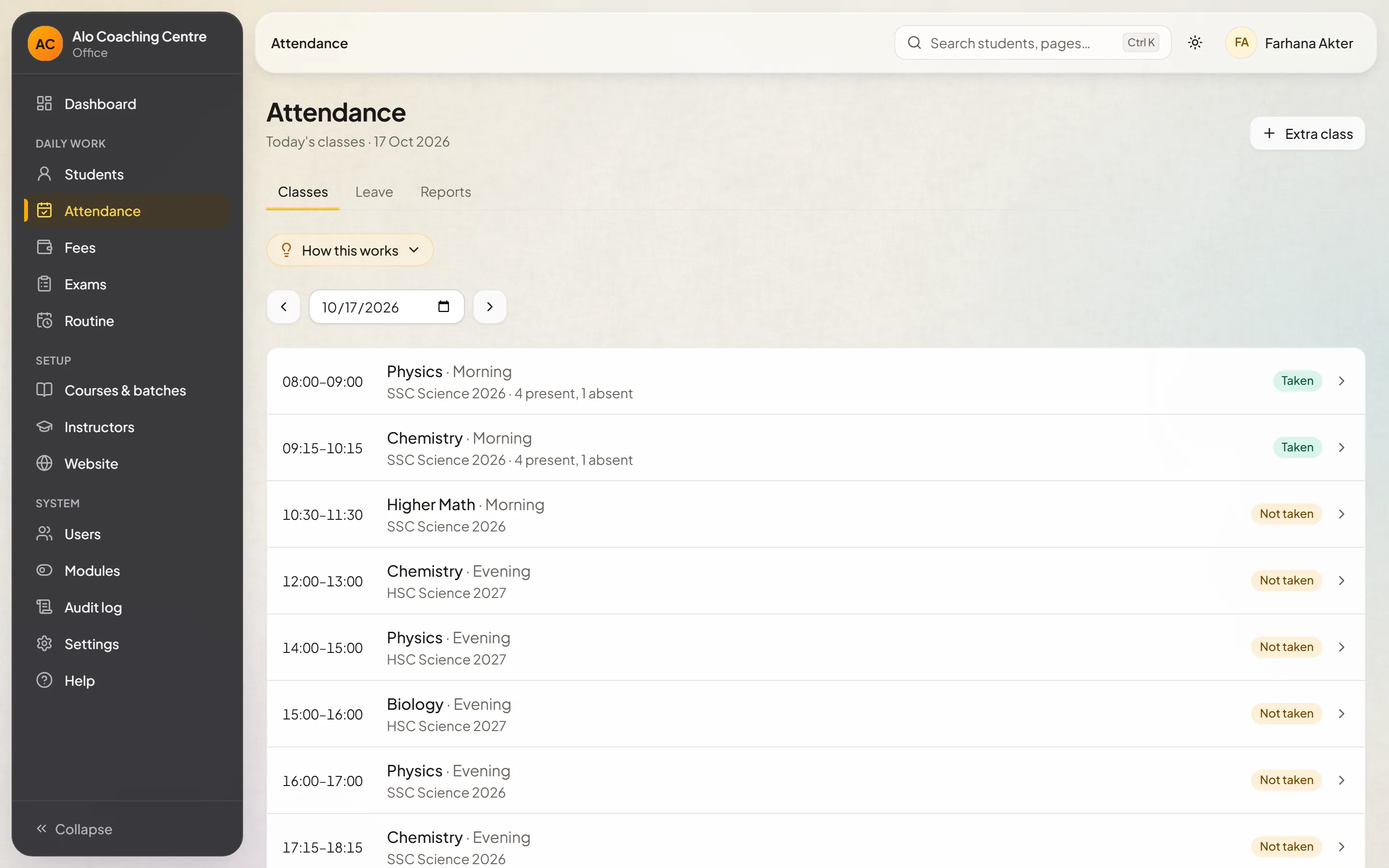
Registers
A register for every class
Open today's class, mark who is present, and save. Corrections are recorded, never silently overwritten.
- Per-class registers
- Corrections with a record
- Instructors see only their batches
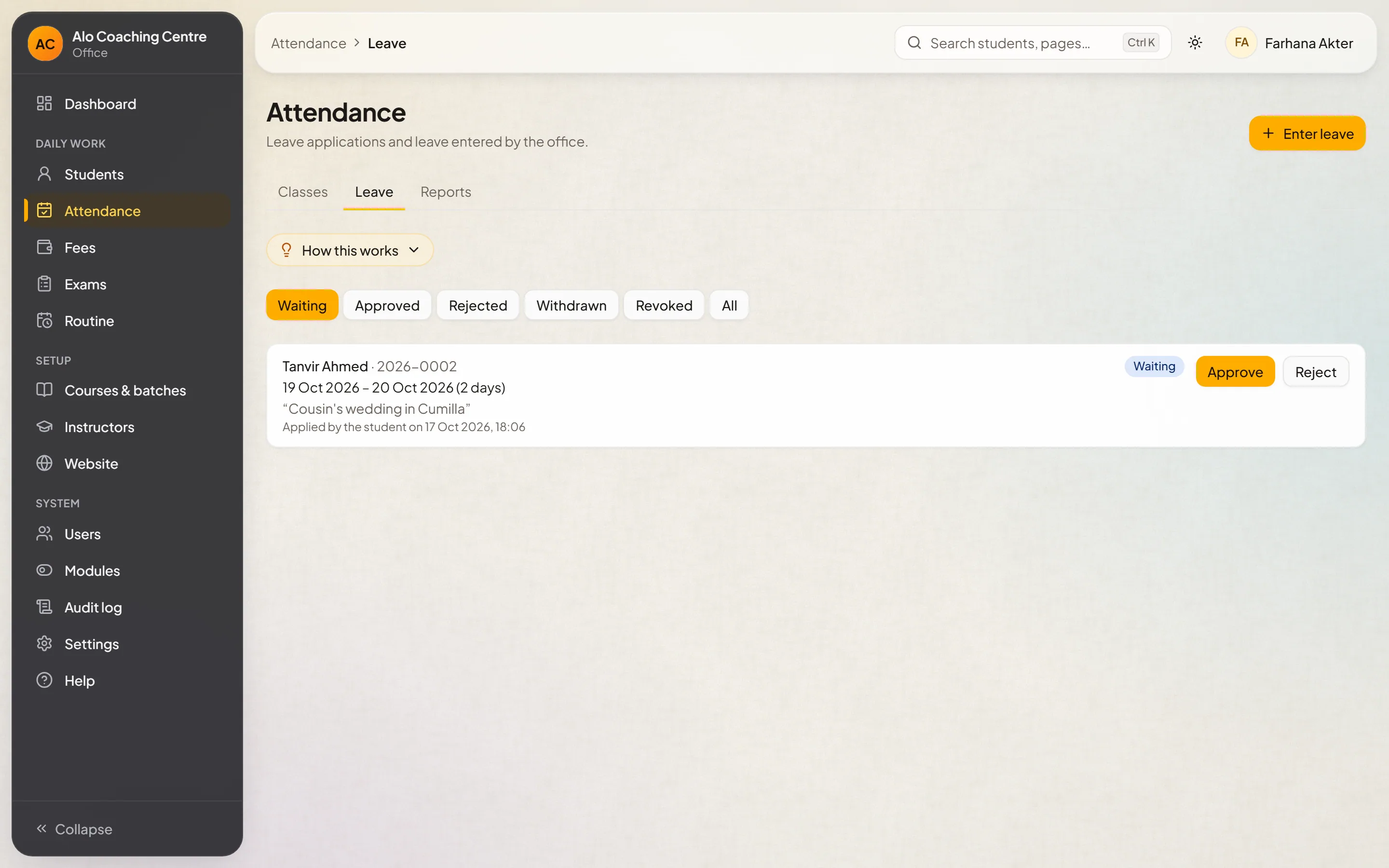
Leave
Leave requests and approvals
Students request leave from their portal; the office approves or declines, and the register reflects it.
- Requests from the student portal
- Approve or decline
- Shown on the register
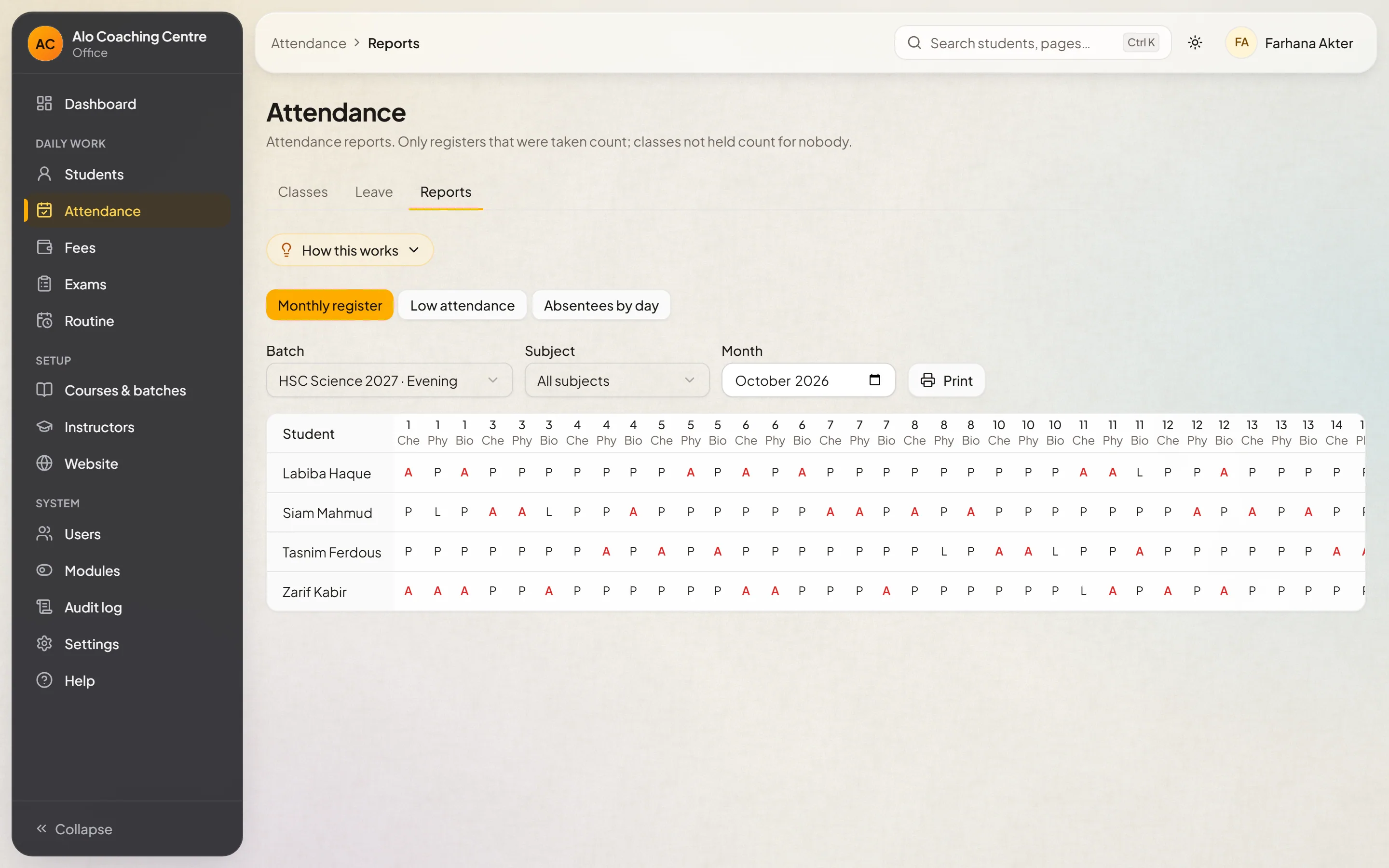
Reports
See who is falling behind
Attendance by batch and by student, over the period you choose.
- By batch
- By student
- Any date range
Questions
Questions about this module
Do instructors see every batch?
No. Instructors see and take attendance only for the batches they teach.
See it with your own batches
Tell us about your coaching centre. We'll set up a demo with courses and batches like yours and walk you through it.